Which electrical diagrams exist?
For a domestic installation you mainly meet these:
- One-wire diagram (eendraadschema): the electrical structure, one line per circuit, with protection devices, cables and what each circuit feeds.
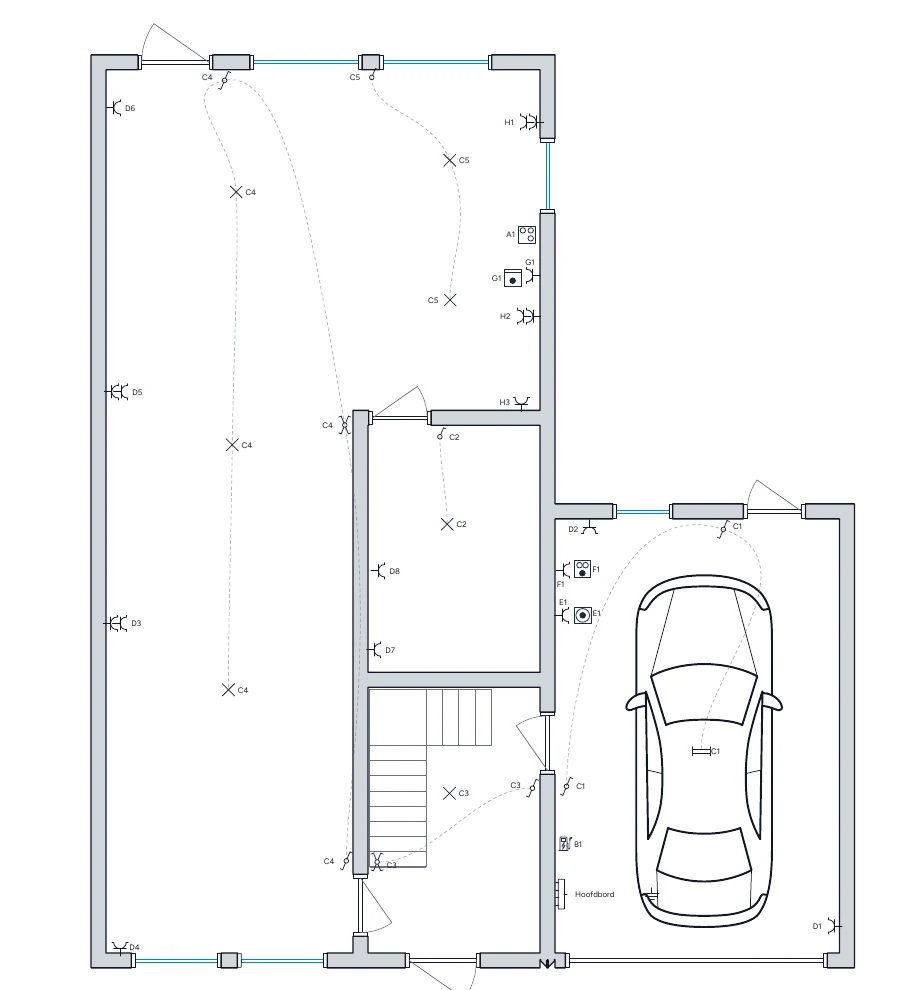
- Situation plan (situatieschema): a floor plan showing where sockets, lights, switches and appliances are.
- Board layout: how the modules sit next to each other in the distribution board, often with a label per breaker.
- Functional diagram: shows how a circuit works, such as a two-way switch or home automation. It does not replace the one-wire diagram.
Which ones do you need for the inspection?
For a new installation, an important extension or the sale of a home, the inspector asks for a one-wire diagram and a situation plan. Both must match the real installation and use the same codes. More background is in the AREI guide.
Next to the diagrams, a clear board layout with labels makes every circuit easy to find. Condui creates those cabinet labels from the same board layout.
Why a general drawing program often disappoints
An electrical diagram needs electrical context. Circuits, protection devices, cable data, symbols and locations must all agree. In a general drawing program you draw loose lines and symbols. If a breaker doesn't suit its cable, or a point is on the situation plan but not on the one-wire diagram, you only find out at the inspection.
Condui is not a general diagram tool but an app for electrical projects. The one-wire diagram, situation plan and board view live in one project and stay in sync.
How to draw an electrical diagram in Condui
Start from the one-wire diagram, the situation plan or your distribution board, depending on what you have. Import an existing floor plan as PNG, JPG, PDF, DWG or DXF. While you draw, Condui shows AREI points of attention. When everything checks out, export a PDF for the inspector. The full method is in the guide how to draw a one-wire diagram.
Draw an electrical diagram for free
Local projects in Condui are free and unlimited, including AREI checks. A free account also gives you one cloud project with all premium features except templates, which is usually enough for one home. See what is free.
Frequently asked questions
- Can I draw an electrical diagram online?
- Yes. Condui runs in the browser on computer, tablet and phone without installation. Installed as a web app, it also works offline for local projects.
- What is the difference between an electrical diagram and a one-wire diagram?
- "Electrical diagram" is the general term. The one-wire diagram is the specific electrical diagram the Belgian inspector asks for, with one line per circuit.
- Can I export a PDF?
- Yes. You export the one-wire diagram and situation plan as a PDF to print or send to the inspector. For CAD you can also export DXF.
- Can I include solar panels or an EV charger?
- Yes. They belong in the same one-wire diagram as the rest of the installation.